Official App

Download the dg333 App — Android & iOSGet Started on

The official dg333 mobile app is now available for all Android and iPhone users in Bangladesh. Install it once and play from anywhere — at home, at the office, or on the go.

Android
APK v3.2
iOS
App Store

Download for Your Device

Install the Android APK directly or download from the App Store for iOS — both are completely free

Android APK

Latest Version v3.2.1

The dg333 app works on any smartphone running Android 5.0 or above. Simply download the APK file and install it directly — no Google Play Store needed.

  • File Size: Only 28 MB
  • Required OS: Android 5.0+
  • RAM: 1 GB minimum
  • bKash & Nagad Payment Support
  • Auto-Update Feature
  • Full Bangla Interface Support
Download Android APK

IOS App

App Store — v3.2.0

If you're on an iPhone or iPad, simply download the dg333 app from the App Store. It runs seamlessly on any device with iOS 12.0 or above.

  • File Size: Only 32 MB
  • Required OS: iOS 12.0+
  • Supports iPhone 6s and Above
  • Face ID & Touch ID Login
  • Optimized View for iPad
  • Push Notification Support
iOS App Download
dg333
Players enjoying dg333 VIP bonus offers during the Eid festivities in Chattogram

How to Install on Android

A lot of people feel unsure about installing an APK. It's actually a straightforward process — just follow the steps below and you'll be done in no time.

1
Download APK File

Tap the "Download Android APK" button above. The file will be saved to your phone's Downloads folder.

2
Enable Install from Unknown Sources

Go to Settings → Security → Unknown Sources and toggle it on. Alternatively, tap "Allow" on the popup that appears during installation.

3
Open the APK File

Open your File Manager, go to the Downloads folder, and tap the dg333.apk file.

4
Complete Installation

Tap "Install" and wait a few seconds. Once installation finishes, tap "Open" to launch the app.

5
Log in or create a new account

Already have an account? Log in. New here? Register now and claim your welcome bonus instantly.

Even Easier to Install on iPhone

The process is even simpler for iOS users — just like downloading any app from the App Store.

1
Open the App Store

Open the App Store on your iPhone or iPad and type "dg333" in the search bar.

2
Search for the App

The official dg333 app will appear in the search results. Confirm it by checking the logo.

3
Tap the "Get" Button

The download will begin. Confirm with your Apple ID password or Face ID.

4
Installation Complete

Once installation is complete, you'll see the dg333 icon on your home screen. Tap it to launch the app.

5
Set Up Face ID (Optional)

Enable Face ID or Touch ID for quick login and skip entering your password every time.


dg333
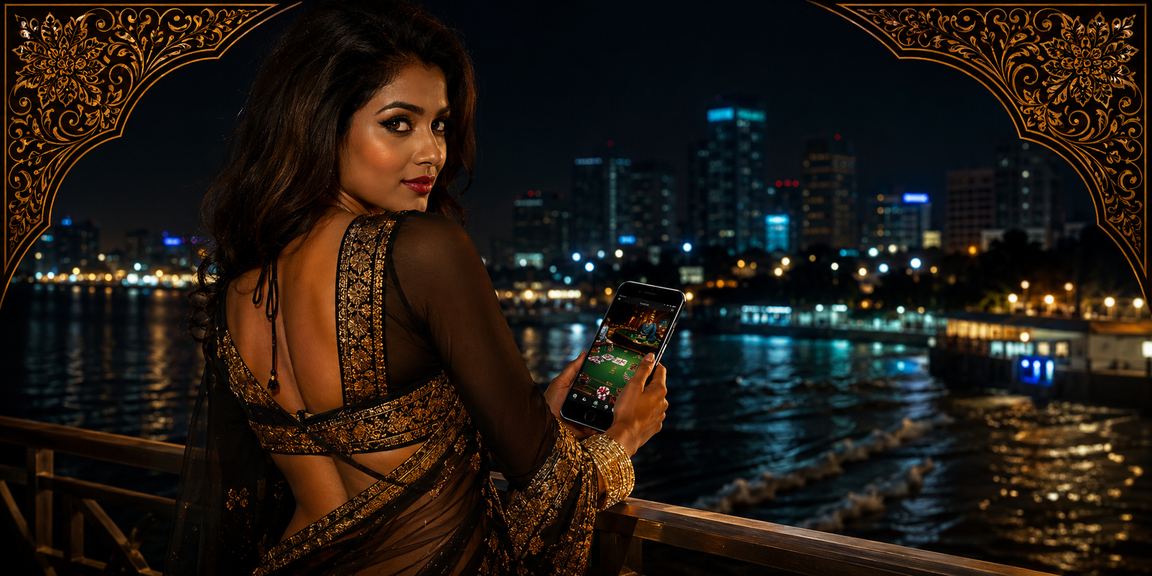
A Dhaka player enjoying the dg333 casino app

The Full Casino Experience on Mobile

The dg333 mobile app is built with Bangladeshi users in mind. Whether you're on a fast connection or a slow one, the interface is fully optimized to run smoothly under any network conditions.

From Mohammadpur in Dhaka to Gangachara in Rangpur, users across the country have praised the dg333 app. Live Casino, slots, cricket betting — all in one place.

The app offers full Bangla-language navigation, which is especially helpful for new users. If you ever need assistance, the help center is also accessible directly within the app.


What Sets the App Apart

There's more to the download than you think — here's what you're getting

Fast Loading

The app runs smoothly even on a 3G connection, with no performance compromises on low-end devices.

Secure Transactions

Every payment is secured with SSL encryption and two-factor authentication.

BKash & Nagad Support

Deposit and withdraw directly via bKash, Nagad, and Rocket — all from within the app.

Real-Time Notifications

Get instant push notifications for new bonuses, win updates, and transaction activity.

Live Streaming

Watch live cricket and football matches right in the app and place your bets at the same time.

Dark Mode

Play in Dark Mode for a comfortable viewing experience at night — and save battery too.

Full Bangla Interface

Use the entire app in Bangla — no English knowledge required.

24/7 Support

Resolve any issue instantly via the in-app live chat support.

Auto-Update

When a new version is available, the app will notify you automatically. Install the latest update in just one tap.


Trusted by Hundreds of Thousands of Users Across Bangladesh

500,000+
Active Mobile Users
28 MB
Lightweight Android APK
4.7★
Average User Rating
23 Minutes
Average Withdrawal Time

Everything You Need to Know About the dg333 App

Many people in Bangladesh hesitate before downloading an online gaming app — wondering where to get it, whether it's safe, or if it might bring viruses onto their phone. These are fair concerns. The official dg333 APK is distributed directly from our own servers, not through any third party, so you can download with complete confidence.

Why You Shouldn't Download the APK from Third Parties

There are many fake dg333 APKs circulating online. Downloading them can put your device at risk and expose your account credentials to theft. Always download exclusively from dg333's official website or this page.

No Need to Worry About Device Storage

At just 28 MB for Android APK and 32 MB for iOS, the app takes up very little storage on your phone. It runs smoothly even on older Android models — tested on popular Bangladeshi brands including Redmi, Samsung Galaxy A-series, Walton, and Symphony.

Mobile Data vs. Wi-Fi — Which Is Better?

The dg333 app is built with mobile data in mind. Slots or Live Casino sessions average around 15–20 MB of data use per session; Sports Betting uses even less. In cities like Rangpur or Sylhet with good 4G coverage, you won't run into any issues. That said, if you're playing Live Casino, a Wi-Fi connection will give you an even smoother experience.

How the Payment System Works in the App

After installing the app, go to the Wallet section to make your first deposit. You'll find options for bKash, Nagad, and Rocket. Enter the amount and your number, and you'll receive an OTP — confirm it and the deposit is done. The whole process takes under 2 minutes. Withdrawals work the same way — once you submit a request, funds typically arrive within 15 to 45 minutes.

Security & Account Protection

After logging into the dg333 app, it's strongly recommended to enable two-factor authentication. This way, even if someone knows your password, they won't be able to access your account. iOS users can log in with Face ID or Touch ID and never worry about forgetting their password. Android users can enable fingerprint login for the same convenience.

If you stay logged in without ever logging out, your session token will automatically refresh after a while — this is done for your account's security. If a login screen appears at that point, there's no need to worry; just sign in again.

How to Update the App

For Android users: dg333 will send you a notification whenever a new version is available. Tap the notification to download the new APK and install the update. iOS users can update through the App Store as usual. Older versions may not support the latest games or features, so keeping the app updated is recommended.


dg333
A user making a deposit on the dg333 app in Rangamati
Supported Devices List
  • Samsung Galaxy A-series, M-series, S-series
  • Xiaomi Redmi, POCO, and Note Series
  • Walton Primo Series (Android 5.0+)
  • Symphony Z-series, i-series
  • All Realme, OPPO, and Vivo Models
  • iPhone 6s through iPhone 15 Series
  • iPad Air, iPad Mini, iPad Pro

dg333
A player enjoying betting on the dg333 app in Dhaka

Useful Tips for Using the App

After installing the dg333 app, it's normal to feel a little unsure at first — it takes a moment to get your bearings. A few simple tips can make everything feel straightforward right from the start.

Keep notifications turned on from the start. dg333 regularly runs flash bonuses and cashback offers that are only available for a limited time — without notifications, you'll often miss them. Go to app settings and enable "Promotions" notifications separately.

Use the Wallet section to view your transaction history and manage your balance. Deposits, winnings, and losses are all tracked in one place — an essential tool for responsible gaming.

When playing Live Casino, increase your phone's screen timeout so the display doesn't keep switching off mid-game. You can do this easily via Settings → Display → Screen Timeout.

Quick Start Checklist for New Users
  • Complete App Download & Installation
  • Register and Verify Your Mobile Number
  • Make Your First Deposit and Claim Your Welcome Bonus
  • Enable Two-Factor Authentication
  • Keep Promotional Notifications On
  • Add Your bKash/Nagad Number to Your Wallet

Download FAQs

The most frequently asked questions about downloading and installing the dg333 app

Yes, the dg333 Android APK and iOS app are completely free to download. There are no charges for downloading or installing — a deposit is only required for gaming.

Installing the official dg333 APK requires enabling Unknown Sources — this is a standard Android security setting. Once the APK is installed, you can turn it off again if you prefer. Downloading directly from our site carries no security risk.

dg333 runs on any phone with Android 5.0 (Lollipop) or higher. Most Android devices released after 2015 meet this requirement. At least 1 GB of RAM is recommended for the best performance.

Absolutely. dg333's customer support team is available in Bangla. Just open the live chat in the app, write in Bangla, and you'll get a response in Bangla. Support is active 24 hours a day, 7 days a week.

Yes, your dg333 account works across Android, iOS, and web — just log in from any device. Your balance, bonuses, and gaming history stay fully synced.

Start by force-stopping the app and reopening it. If that doesn't help, clear the cache via Settings → Apps → dg333 → Clear Cache. If the issue persists, uninstall the app and do a fresh install. Still having trouble? Reach out via live chat or email us at support@dg333.ws.

📱

Download Now & Claim Your Bonus

Install the dg333 app and claim a special welcome bonus on your first deposit. Available on both Android and iOS. Registration is completely free.

support@dg333.ws

বাংলা